|
|

Three
freeware Windows® programs are available
for the calculation of sunspot locations and their area plus much more:
Helio v4.1,
Helio
Viewer v2.3
and Helio
Creator v2.1. For
all
these programs it is not
recommended to download and unzip into the C drive 'Program File' or
'Program Files (x86)' directories due to permission issues.
Instead, create another C drive directory for each program
and
unzip in that directory.
Helio
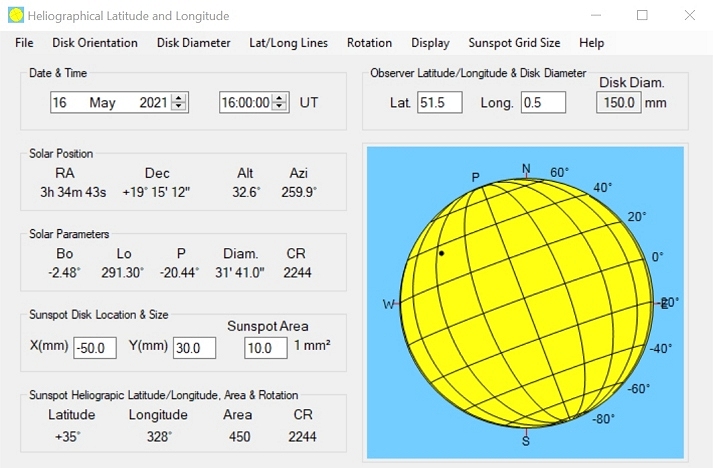
The
freeware Helio v4.1 program includes
the following
features:
- Determine the solar
position (RA, Dec, altitude and
azimuth) and solar parameters (Bo, Lo, P, apparent diameter and
Carrington rotation of the central meridian) for a given date and time,
and observer latitude and longitude.
- Select the orientation
of the solar disk (including
equatorial and altazimuth).
- Display the central
meridian, solar equator, latitude
lines and longitude lines.
- Input or select the
position of a sunspot directly on
the solar disk.
- Calculate the sunspot
latitude and longitude.
- Input the sunspot size
and calculate the sunspot area
(in millionths of a solar hemisphere).
- Display the Carrington
Rotation number at the
location of the sunspot.
- Track a sunspot across
the disk and from one rotation
to the next (or previous) using either Carrington or differential
rotation rates.
- Produce a log file for
sunspot measurements.
- User guide (PDF
format).
Helio
v4.1 can be download as a zip
file. The user guide
is included in the zip files or it can be
downloaded here.
If you have any problems with this program, please email me.
Helio
Viewer
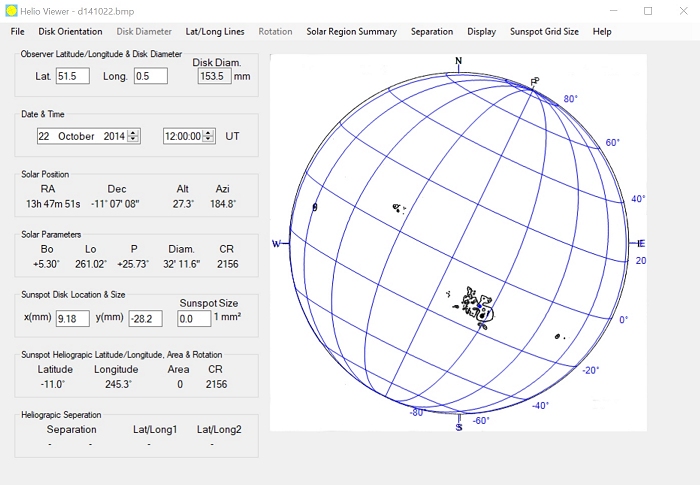
As a solar observer who
makes full disk drawings and who
wished to determine the latitude/longitude and area of spots groups, I
wanted an easy way of measuring these parameters without the need for
lots of hand calculations. Developed from Helio v2.0 (see above), Helio
Viewer drastically reduces the time required to analyse my solar
observations. There are two basic modes of operation of Helio Viewer:
with the artificial Sun (as appears above) or a user full disk solar
image (such as those on this web site). Helio Viewer has the following
features:
- Input of a user full
disk image, such as those on
this web site or those with the solar disk surrounded by a black
background (in a
variety of formats including .bmp, .png & .jpg).
SDO HMI images can also be input.
- Determine the solar
position (RA, Dec, altitude and
azimuth) and solar parameters (Bo, Lo, P, apparent diameter and
Carrington rotation of the central meridian) for a given date and time,
and observer latitude and longitude.
- Select the diameter of
the artificial Sun or display
the user solar image at its full size.
- Select the orientation
of the solar disk (including
equatorial and altazimuth).
- Display the central
meridian, solar equator, latitude
lines and longitude lines.
- Input or select the
position of a sunspot by clicking
directly on the solar disk.
- Calculate the sunspot
latitude and longitude.
- Calculate the sunspot area
(in millionths of a solar hemisphere).
- Display the Carrington
Rotation number at the
location of the sunspot.
- Track a sunspot across
the disk and from one rotation
to the next (or previous) using either Carrington or differential
rotation rates (artificial Sun only).
- Superimpose the NOAA
Space
Weather Prediction Center (SWPC) Solar
Region Summary (SRS) report to show the location, region number and group
type.
- Measure the separation
between two points on the
solar disk or outside the solar disk.
- Produce a log file for
sunspot measurements.
- User guide (PDF
format).
Further
information and screenshots for this program can be found here (based on v1).
Helio Viewer can be download as a zip
file. The
user guide is included in the zip files or it can be downloaded here. If you have any problems
with this program, please email me. The previous version is still available as a zip
file.
Helio
Image Creator
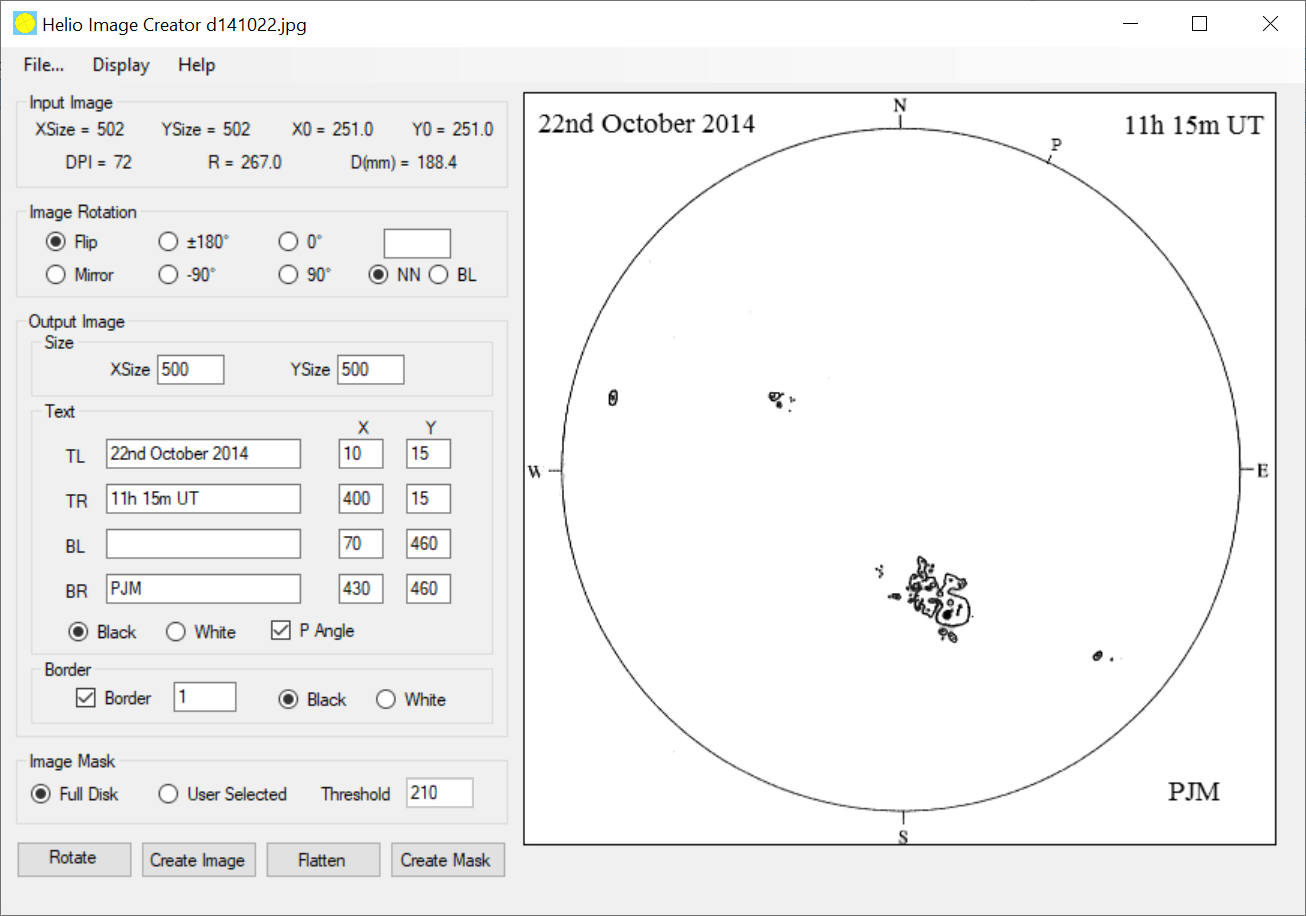
As I create electronic
copies of disk drawings for
display on this web site, I wanted an easy way of centering the images,
adding annotation such as date & time, cropping to a given size
and adding a border. Helio Image Creator performs these functions.
Thus Helio Image Creator
has the following features:
- Inputs a user full
disk solar image (in a
variety of formats including .bmp, .png & .jpg).
- Determines the center
of the solar image.
- Changes the
orientation of the image via a
flip/mirror or rotation by any angle.
- Creates a solar image
of a specified size, adds
annotation to top left, top right, bottom left and/or bottom right of
the image and/or adds border.
- Outputs the created
image.
- Flattens the brightness
variation from the middle to the edge of the disk.
- Creates
and outputs a mask (red pixels) for either the whole disk or individual
sunspot
groups.
Helio Image Creator can be
download as a zip
file. The user guide
is included in the zip files or it can be
downloaded here. If you have any problems with this program,
please email
me.


Last
updated on 9 March 2026.
|



















